
GLOBAL FLEET & TRADE · HANDBOOK
Bunker Station and Vessel Fuel
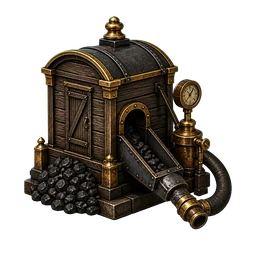
The bunker station supplies vessels at the active port with the fuel required by their type. Purchased fuel goes directly into the vessel tank and the revenue is credited to the city treasury.
At a Glance
- Vessel classes I–II require ship coal at £6.00 per tonne.
- Vessel classes III–V require marine diesel at £14.00 per tonne.
- Manual bunkering, destination auto-refuelling and automatic bunker stops are separate functions.
Bunker a vessel
- Open the bunker station below Shipyard at the active port.
- For the intended vessel, check fuel type, current amount, tank capacity and displayed range.
- Enter the required amount in tonnes. The free tank capacity limits the entry.
- Confirm Bunker, then verify fuel level, range and funds.
Coal or diesel
| Vessel class | Fuel | Price |
| I–II | Ship coal (SK) | £6.00 / t |
| III–V | Ship diesel (SD) | £14.00 / t |
Check at route start
The game calculates demand from route distance, the vessel type’s consumption and its installed engine upgrade. If the tank covers a direct voyage and no intermediate stop is required, that leg’s fuel is deducted at departure. Engine research reduces consumption only after installation on that individual vessel.
Automatic bunker stops
When enabled for insufficient range, the planner searches for a reachable chain of active bunker ports carrying the correct fuel. The preview lists every leg, fuel demand, stop count and estimated cost. At each intermediate port the vessel refuels at the player’s expense, the local treasury receives the proceeds and the voyage continues automatically. If a required bunkering operation cannot complete, the vessel remains at that intermediate port.
Automatic refuelling at the destination
The separate Automatic Refuelling option fills the tank to capacity after arrival at the final destination. The bank account is charged and the destination treasury receives the payment. It does not replace required intermediate bunker stops.